What does this screen solve?
Reading the pitch of a roof that’s already built: a reroof, an addition tying into an existing ridge, a dormer that has to match. Normally that’s a level, a tape and a speed square on a ladder. Here it’s the phone laid on the roof.
Same for a ramp, a driveway or a stair you need to check. The converter covers the other half: the plans say 8:12 and the saw or the spec sheet wants degrees or percent.
How does the pitch meter read slope?
It uses the iPhone’s motion sensor to measure the tilt of whatever the back of the phone is resting on, 0° to 90°. Tilt is measured in any direction, so the phone reads the same pointed up the slope or turned sideways on it. It samples 10 times a second and smooths the reading so the number settles instead of jittering.
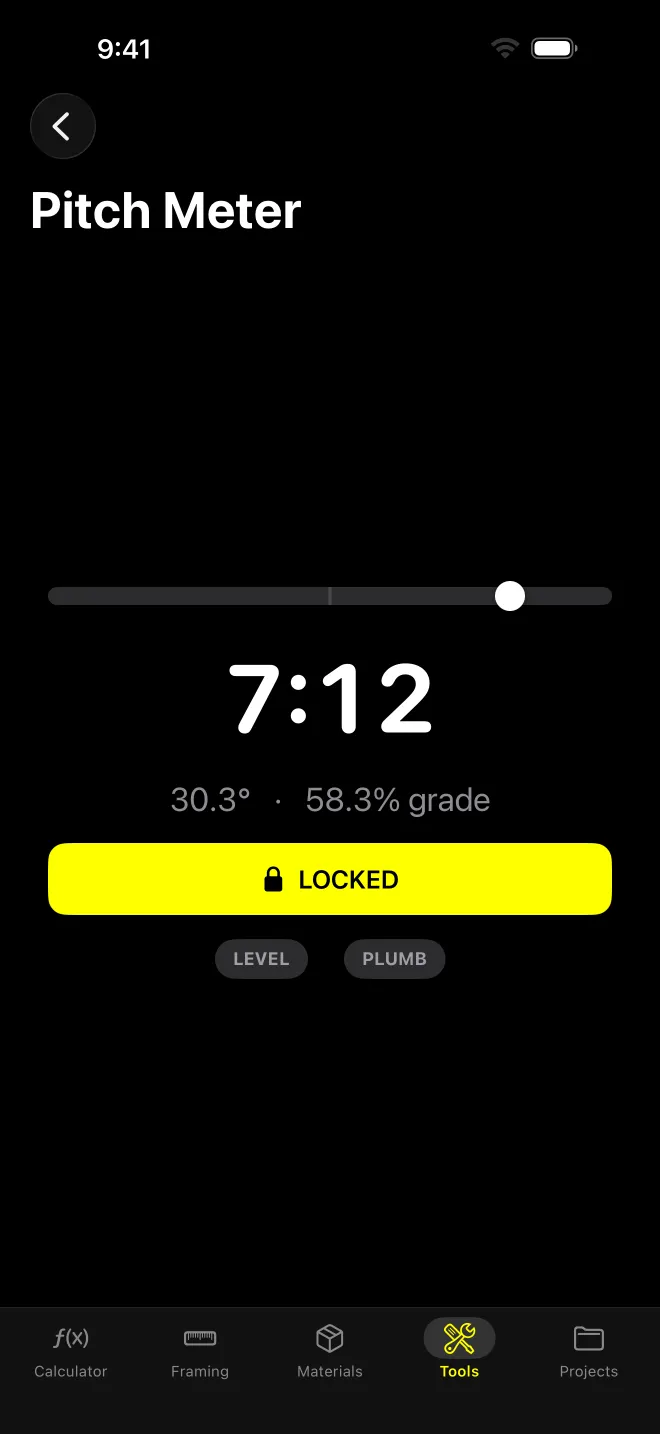
The screen shows:
- X:12 in large type, rounded to the nearest ¼” of rise and capped at 24:12
- Degrees to 0.1° and percent grade to 0.1% (capped at 999%)
- A level bubble
- LEVEL and PLUMB badges, lit within ±0.5° of flat or of 90°
- LOCK, which freezes the reading so you can pick the phone up and read it. Tap again to release.
The meter lives under the Tools tab. The converter is on the Framing tab.
Worked example: locked at 7:12
A 7:12 roof sits at atan(7 ÷ 12) = 30.26°. The meter shows that as 30.3°. X:12 is tan(30.26°) × 12 = 7.00, so 7:12. Grade is 7 ÷ 12 × 100 = 58.3%.
The ¼” rounding means anything from about 29.8° to 30.7° reads 7:12. If you need finer than that, read the degrees.
How does the pitch converter work?
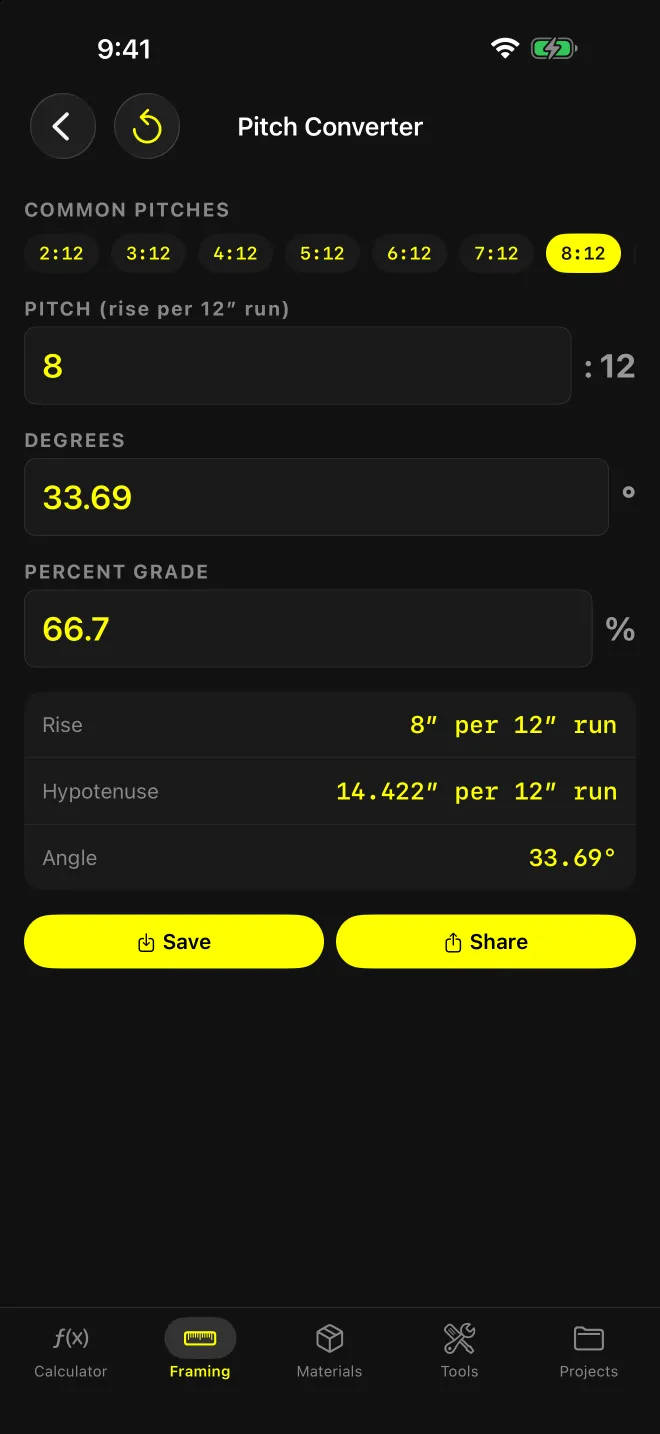
Three fields: PITCH (rise per 12” run, X : 12), DEGREES and PERCENT GRADE. Type in any one and the other two update. A COMMON PITCHES strip fills in 2:12 through 10:12 and 12:12 with one tap.
Once a pitch is in, a card shows:
- Rise per 12” run
- Hypotenuse per 12” run, to 0.001”
- Angle to 0.01°
Long-press a row to copy it. Save and Share sit underneath.
Worked example: 8:12
- Degrees: atan(8 ÷ 12) = 33.69°
- Grade: 8 ÷ 12 × 100 = 66.7%
- Hypotenuse: √(8² + 12²) = √208 = 14.422” per 12” run
Going the other way, 30° in the degrees field returns a pitch of 6.93 (tan 30° × 12) and 57.7% grade.
What are the limits?
- The phone reads the surface under it. Lay it on sheathing or a straight board across the shingles, not on a single course. (A lumpy case or a warped board reads as pitch.)
- No calibration step. The meter trusts the iPhone’s sensor. Check it on a surface you know is level before you rely on it for a tie-in.
- Face down reads as plumb. Anything past 90° is held at 90°.
- The meter and converter aren’t linked. Key the reading into the converter, or into Rafters or Roof Area (both Pro), yourself.
- Degrees in the converter must be between 0 and 90. There’s no 11:12 preset; type it.
App or web?
The web roof pitch calculator does the same pitch, degree and percent conversions at a desk. It can’t measure. The app reads the roof itself and works offline.